Your Ultimate Guide to Using a Landscape Design App
Ever stare at your yard, trying to picture what it could be? That's probably the biggest hurdle in any landscaping project: bridging the gap between a vague idea in your head and what it will actually look like in real life. A modern landscape design app changes all of that, basically putting a personal design consultant right in your pocket.
Turn Your Yard Photos Into Dream Designs
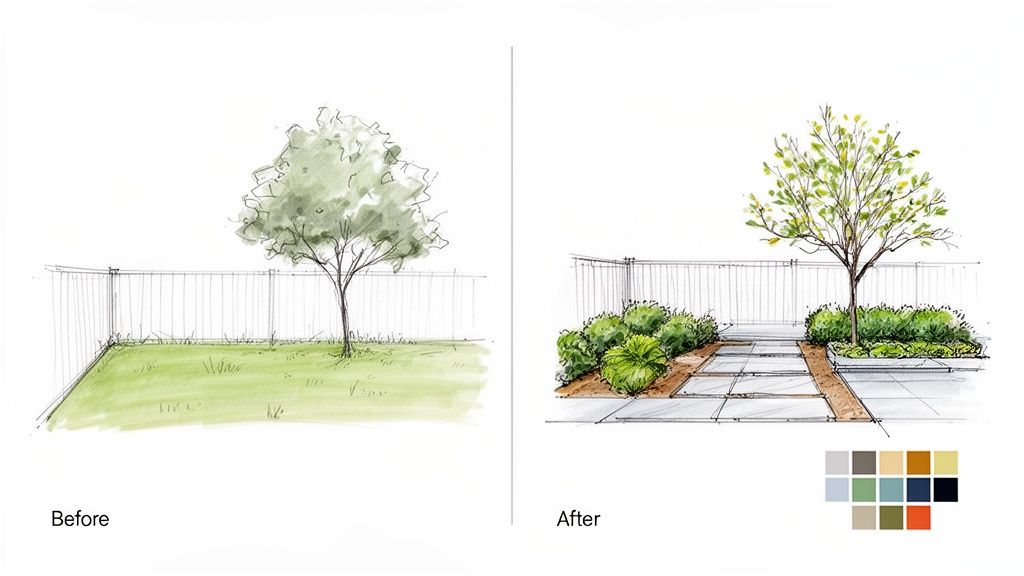
Imagine this: you snap a quick photo of your current yard—maybe it's a tired front lawn, a bare concrete patio, or a backyard that's a total blank slate—and then watch it transform right on your screen. This is the real magic of AI-powered landscape design. Forget sketching ideas on paper or just guessing what might look good. You just upload a photo and let the artificial intelligence do the heavy lifting. The core benefit is the ability to apply AI Landscape Design to visualize your ideas using photos of your own yard.
And this isn't just about dropping random plants onto a picture. The AI actually analyzes your specific space, factoring in its size, shape, and what’s already there. It then spits out professional-grade concepts that are tailored to your actual property. This whole process takes the guesswork out of the equation, giving you stunning, practical visuals you can play with and tweak.
Visualize Before You Build
The real power here is the freedom to experiment without any risk. You can instantly see how different styles, materials, and layouts will look in your yard.
Explore Different Aesthetics: Want to see your yard as a modern desert oasis? A lush English garden? A minimalist retreat? You can cycle through styles with just a few taps.
Test Materials and Features: Swap out that boring concrete patio for elegant flagstone. Add a cozy fire pit. See what a new garden bed along the fence line would look like.
Prevent Costly Mistakes: By seeing the finished product first, you can make smart decisions before spending a single dollar on plants or construction.
Being able to iterate on designs using a photo of your own yard is what makes these apps so darn effective. It's the same idea used in other industries, like how real estate pros use virtual staging software to furnish empty homes digitally. Now, that power is available for your outdoor projects.
The biggest win is getting a realistic preview of your dream yard. This visual confirmation makes sure the final project matches your vision, saving you time, money, and a ton of potential frustration.
Ultimately, these tools help you jump from pure inspiration to a concrete plan. You can explore endless landscaping ideas and find the perfect match for your home’s character and your own personal taste. When you start with a simple photo, that dream outdoor space suddenly feels a lot more achievable.
How AI Brings Your Landscape Ideas to Life
So, how does a modern landscape app magically turn a simple photo of your yard into a professional-looking design? It’s far less magic and more about some really smart technology working behind the scenes. Think of the app's AI as your personal digital landscape architect, using your picture as its canvas and your home as its inspiration. It allows you to apply AI Landscape Design to visualize your ideas using photos of your own yard with incredible ease.
At its core, the technology is built on sophisticated algorithms that have been trained on thousands upon thousands of landscape images. When you upload your photo, the AI doesn't just see a picture; it analyzes it. It identifies key elements like the house itself, existing trees, patches of grass, patios, and even fences. This initial analysis creates a digital map of your actual space.
From there, the AI starts applying fundamental design principles to generate new concepts. It understands things like color theory, how to combine different textures, and what creates a sense of spatial balance. It then creatively pulls together plants, hardscapes, and other features to produce designs that aren't just beautiful, but also practical for your specific yard.
Turning Pixels into a Practical Plan
The real power here is the AI's ability to interpret the context of your photo. It can tell the difference between a sun-drenched front yard and a shady corner by the garage, suggesting plants that will actually thrive in each spot.
This whole process lets you visualize countless ideas that are grounded in reality. You’re not just looking at a generic picture from Pinterest; you’re seeing exactly how a modern desert landscape or a lush cottage garden would look right outside your own door. It’s the ultimate "try before you buy" for your entire outdoor space.
By analyzing your existing property, the AI makes sure the designs it generates feel like a natural extension of your home. It’s not about dropping a random garden into your yard—it’s about crafting an outdoor environment that truly complements your house’s architecture and your personal style.
This kind of accessibility is what's driving huge growth in this market. The global Landscape and Garden Design Software market has already hit an impressive USD 5.2615 billion, fueled by a booming demand from homeowners who want digital tools to take control of their own projects. This surge shows just how many people are turning to apps to create personalized front yard makeovers or cozy backyard oases without needing to hire a professional designer on day one. You can read the full report on the landscape design software market at cognitivemarketresearch.com.
From a Single Photo to Endless Possibilities
This core AI function is what makes a landscape design app so effective, whether your project is big or small. You can apply it to pretty much any part of your property to explore its hidden potential.
Front Yard Curb Appeal: Instantly see how new flower beds, a modern walkway, or strategically placed shrubs could completely change your home's entrance.
Backyard Oasis Creation: Visualize a new paver patio, a cozy fire pit area, or a complete poolside renovation before a single shovel hits the dirt.
Small Space Solutions: Test out ideas for that awkward side yard, a narrow balcony, or a compact urban patio to make every square foot count.
Ultimately, the AI demystifies the entire design process. It translates the complex principles of landscape architecture into simple, interactive visuals right on your smartphone. This makes sophisticated design accessible to anyone, turning what used to be an overwhelming task into an exciting creative journey.
What Makes a Great Landscape Design App?
Let’s be honest, not all landscape design apps are created equal. The best ones feel less like a chore and more like a creative adventure, packed with powerful tools that are actually fun to use. A slick design is nice, but the real magic is in the features that empower you to visualize, plan, and budget with confidence. These tools work together to finally bridge that frustrating gap between what’s in your head and what’s possible in your yard.
The absolute foundation of any modern landscape design app is the ability to use a photo of your own yard as the starting point. This isn't just a neat trick; it's the most critical feature. It grounds your entire project in reality, moving you way beyond generic templates that don’t look anything like your space. When you upload your picture, you create a personal canvas, ensuring every idea the app generates is tailored to the unique layout, lighting, and existing structures of your actual yard.
Starting with your own photo is what unlocks the true power of AI, allowing it to spit out relevant, inspiring designs you can immediately picture right outside your window. This is how you apply AI Landscape Design to visualize your ideas using photos of your own yard effectively.
Seeing is Believing with Augmented Reality
Okay, so you have a design you love on the screen. But how will it actually feel when you're standing in it? That’s the million-dollar question, and Augmented Reality (AR) is the answer. Think of AR as a magic window. It uses your phone's camera to overlay the digital design onto the real world.
Instead of staring at a flat image, you can virtually “walk through” your new garden. Stand on your deck and see how that new paver patio connects to the grass. Check if that pergola you’ve been dreaming of will block the afternoon sun. AR gives you an incredible sense of scale and presence that a 2D picture just can't deliver. It's the difference between looking at a map and actually being in the city.
A Library of Plants and Materials at Your Fingertips
A design is only as good as its parts. That's why a top-tier app must have an extensive and detailed library of plants, hardscapes, and materials. This digital catalog is your creative playground, letting you experiment with countless combinations until you land on the perfect one.
To help you know what to look for, we've put together a table of essential features you should expect in a quality landscape design app.
Essential Features In A Modern Landscape Design App
Feature | What It Does | Why It's Important |
|---|---|---|
Diverse Plant Selection | Offers a wide variety of trees, shrubs, perennials, and annuals, often with details on climate zones and sun needs. | Lets you choose plants that will actually thrive in your yard and match your aesthetic. |
Hardscape Options | Includes materials like pavers, gravel, mulch, decking, and stones. | Allows you to test different textures and colors for patios, walkways, and garden beds. |
Outdoor Living Elements | Lets you place items like fire pits, pergolas, outdoor kitchens, lighting, and furniture. | Crucial for planning a complete and functional outdoor living space, not just a garden. |
Customization Tools | The ability to resize, rotate, and swap out any element in the design. | Gives you full creative control to fine-tune every detail until it's just right. |
A deep and varied library is all about personalization. It lets you swap things in and out on a whim, tweaking the design until it perfectly matches your style and functional needs. You can explore all the available DreamzAR features to see just how much of a difference a robust library makes.
From Vision to Reality with Practical Planning Tools
A beautiful design is a fantastic start, but a truly great app helps you turn it into a real, achievable project. This is where measurement and cost estimation tools come in. Using the tech already in your phone, modern apps can take surprisingly accurate measurements of your yard right from a photo or through the AR view.
This means you can calculate the square footage for that new lawn, figure out the length of fencing you need, or estimate how many pavers to buy for the patio.
By integrating cost estimates, a landscape design app transforms from a simple visualization tool into a powerful budgeting partner. It helps you understand the financial scope of your project early on, preventing surprises and allowing you to make informed decisions that align with your budget.
This blend of creativity and practicality is a huge reason for the industry's growth. Homeowners are driving the biggest segment of the landscape design software market, all looking for ways to create their own tailored outdoor escapes. The global Landscaping Services market is set to grow significantly, especially with enhancement services like app-controlled irrigation and outdoor kitchens becoming more popular. For those interested in the tech itself, understanding mobile app design best practices sheds light on what makes these tools so effective.
Ultimately, these core features—from photo uploads to cost estimates—are what separate a simple app from a powerful design partner.
Your Step-By-Step Guide to Designing a New Yard
Trying to turn that vague idea in your head into an actual, workable plan can feel like the hardest part of any landscaping project. It's often where people get stuck. Thankfully, modern landscape design apps completely change that dynamic, guiding you from a simple photo all the way to a finished design.
Think of the app as a roadmap. You don't need any special skills or prior experience to follow the steps and arrive somewhere beautiful. It all starts with the most powerful tool you have: a photo of your own yard. That one picture becomes the canvas for everything that follows.
Step 1: Capture the Perfect Photo
First things first, you need a good, clean photo of the area you want to transform. We're not talking about professional photography here—just a clear shot for the AI to work with.
For the best results, try snapping the picture on an overcast day, or in the morning or late afternoon. This helps you avoid the harsh shadows that can hide important details. Stand back and try to get as much of your yard and house in the frame as you can. Giving the AI that context helps it generate designs that look like they truly belong there, blending with your home's style.
Step 2: Generate AI-Powered Ideas
Once your photo is uploaded, the real fun begins. This is where you can apply AI Landscape Design to visualize your ideas using photos of your own yard almost instantly. Instead of just guessing what might look good, you can tap a button and see dozens of unique concepts tailored to your space.
You can explore all kinds of different styles:
Modern Minimalist: Think clean lines, simple plantings, and sleek hardscaping.
Lush Cottage Garden: Imagine overflowing flowers, charming winding paths, and a romantic, relaxed vibe.
Drought-Tolerant Xeriscape: Picture striking succulents, decorative rocks, and other beautiful, water-wise plants.
This step is all about exploration. Don't be afraid to try styles you hadn't considered—you might be surprised by what the AI comes up with.
Step 3: Customize and Refine Your Design
After the AI has served up some initial concepts, it’s your turn to jump in and make them your own. This is where you shift from being an observer to the designer.
Don't like that particular shrub? Swap it out. Prefer a different paver style for the patio? Change it. Want that garden bed to be a bit bigger? Adjust it. A good app gives you the tools to tweak every little detail until the design perfectly matches what you have in mind.
This flow from initial idea to a concrete plan is what makes these apps so powerful.
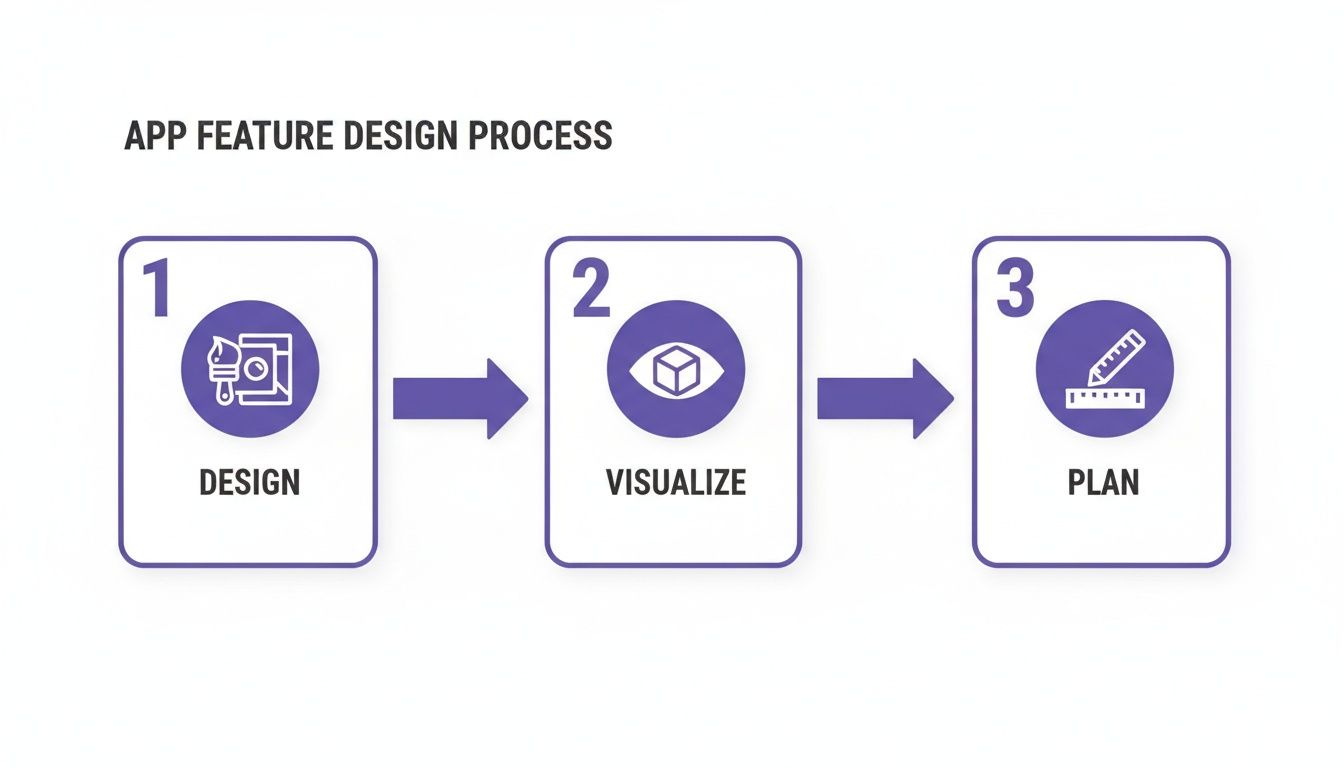
As you can see, these tools are built to seamlessly connect the creative part of design with the practical side of visualization and planning.
Step 4: Use AR to Preview Your New Yard
Once you’ve landed on a design you love, it's time for the magic of Augmented Reality (AR). This feature uses your phone's camera to overlay the 3D design right onto your actual yard.
You can walk around your future patio, see exactly how tall that new tree will be next to your fence, and get a real-world feel for the scale and spacing. AR is the ultimate gut-check, confirming that the plan you created on screen will look just as amazing in real life.
Step 5: Measure and Plan Your Budget
With your design locked in, the app helps you switch gears to the planning phase. You can use built-in measurement tools to figure out the square footage for a new lawn, how much mulch you'll need, or the area for a paver patio.
Many apps also include cost estimation features to give you a ballpark figure for materials, which is a huge help in setting a realistic budget from day one. For an even more granular look at expenses, you can plug your measurements into a dedicated landscaping cost estimator to really dial in the numbers.
Finally, you can save your completed plan and share it. Send it to your family for their two cents, or forward it directly to a contractor to get a detailed, accurate quote. That professional-looking document, which all started with a simple photo, has everything needed to bring your dream yard to life.
Real-World Projects and Inspiration
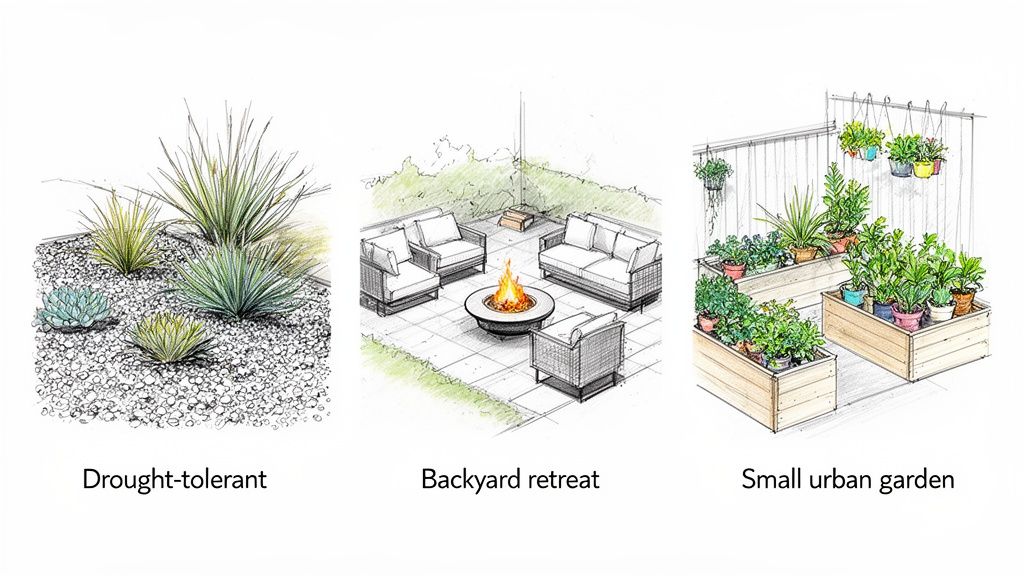
Talking about features is one thing, but seeing how a landscape design app can tackle real, everyday garden problems is where the magic really happens. This is the moment you stop wondering "what if" and start seeing "what could be." By using AI, you can take a simple photo of your yard and instantly turn those vague ideas into tangible, inspiring mockups.
Let's say your front yard just feels… blah. You want to punch up the curb appeal but you're worried about California's water restrictions or just don't have time for a high-maintenance garden. Instead of flipping through magazines and guessing what might work, you snap a photo. The app then lets you apply AI Landscape Design to visualize your ideas using photos of your own yard. Suddenly, you can see a modern desertscape with dramatic agaves and decorative rocks, or maybe a colorful native plant garden that brings in local pollinators.
This simple step cuts through the biggest hurdle for most homeowners: uncertainty. You’re not just collecting random ideas anymore; you’re road-testing them on your actual property to see what feels right.
Transforming Your Backyard into a Personal Retreat
The backyard is often where the big dreams live. It’s supposed to be our space for unwinding, entertaining friends, and spending time with family. When planning these bigger, more involved projects, a landscape design app becomes a seriously useful partner.
Maybe you're dreaming of a cozy backyard escape with a paver patio and a fire pit. Just take a picture of your existing lawn and start exploring the possibilities.
Visualize Hardscapes: Instantly see the difference between a rustic, circular flagstone patio and a clean, modern rectangular one.
Place Key Features: Drag and drop a fire pit, some comfy outdoor seating, or even a small bubbling fountain to find the perfect arrangement.
Plan the Greenery: Frame your new outdoor living space with virtual plantings, from tall privacy hedges to vibrant perennial beds.
If you're dealing with a tricky space, like a sloped yard, these apps are a total game-changer. They let you visualize solutions like terraced garden beds or a multi-level patio, turning what seemed like a problem into an incredible design feature. To get your own creative juices flowing, check out our guide on inspiring backyard ideas.
The ability to instantly generate and tweak these designs using a photo of your yard is what makes this tech so powerful. It puts homeowners in the driver's seat, ensuring the finished project is exactly what they had in mind.
A Powerful Tool for Professionals and Clients
It’s not just for DIYers. For professional landscapers, these apps are fantastic for streamlining client meetings and winning more jobs. Instead of trying to explain a vision with words or rough sketches, a designer can create a compelling mockup right there on the spot.
This immediate visual feedback helps prevent miscommunication and gets everyone on the same page from day one. A client can see exactly what the proposed design will look like, request changes in real-time, and sign off on the plan with total confidence. This kind of tech is becoming essential, especially as the market expands. North America is the leader in the Landscape Software market, and it's set for major growth in the next few years. That trend shows why tools like DreamzAR, which offer instant photo-based designs, are perfectly suited for U.S. homeowners and pros tackling everything from a simple pool area to a full-blown luxury outdoor kitchen.
Whether you’re a weekend warrior planning your next project or a seasoned pro designing a high-end oasis, a landscape design app is the bridge that connects your vision to a beautiful, achievable reality.
How to Choose the Right App for Your Project
With so many new tools popping up, trying to pick the best landscape design app can feel like a chore. But it doesn't have to be. The right choice really boils down to a handful of key features that separate the genuinely useful tools from the simple novelties. If you focus on what really matters, you’ll find an app that doesn't just give you ideas but actually helps you get the project done.
The single most important thing to look for is the quality of the AI design generation. Can the app take a simple photo of your yard and turn it into something realistic and inspiring? The ability to apply AI Landscape Design to visualize your ideas using photos of your own yard is what makes this technology so powerful. A great app will produce designs that feel like they belong—respecting your home’s style and existing layout—making the final vision seem completely achievable.
Evaluating Key Features
Beyond those first AI concepts, you need to look at the depth of the plant and material library. Think of it as your digital sandbox. A massive library lets you play around with everything from region-specific flowers and shrubs to different styles of pavers, mulch, and even outdoor furniture. The more you have to choose from, the more your design will truly feel like your own.
Next up, how does the app actually feel to use? The best tools are intuitive. You should be able to move things around, swap out plants, and resize elements without getting frustrated. An app is supposed to empower your creativity, not get in the way with clunky controls or a steep learning curve. And finally, don’t underestimate the power of a good Augmented Reality (AR) preview. A high-quality AR feature gives you a genuine sense of scale, letting you "walk" through your new yard and see how it all comes together in the real world.
When you're ready to make a choice, look for an app that masters all these areas. The goal is to find a single, powerful tool that seamlessly guides you from initial inspiration to a concrete, actionable plan you can build from.
Your Best Choice for AI-Powered Design
This is where an app like DreamzAR really shines. It was built to excel in all these critical areas, creating a top-tier experience for homeowners. Its AI generator is specifically tuned to transform a basic photo of your yard into a stunning, professional-looking concept in just seconds. When you combine that with an extensive library packed with thousands of plants and materials, you get complete creative control over every last detail.
DreamzAR also nails the practical side with highly realistic AR previews and smart measurement tools, bridging that crucial gap between a pretty picture and a real-world plan. By focusing on these core strengths, it delivers a complete, user-friendly solution from start to finish. For a more detailed breakdown, you can explore a comparison of landscape design apps and see exactly how the features stack up.
If you’re ready to stop just dreaming about your yard and actually start designing it, the next step is simple. Download DreamzAR, snap a photo, and see what’s possible. Your dream outdoor space is just a few taps away.
Got Questions About Landscape Design Apps?
It's totally normal to have a few questions before you dive into a new tool, even one with a ton of exciting features. Think of a modern landscape design app as your creative partner for your yard project. Knowing what it can (and can't) do is the key to getting a result you'll love.
Here are some of the most common questions I hear from homeowners, with straightforward answers.
Can I Really Get a Professional-Looking Design From an App?
Yes, you can absolutely get professional-quality ideas and visuals. This is where these apps really shine. Their superpower is using AI Landscape Design to visualize your ideas using photos of your own yard. The results can be stunningly realistic, giving you a preview that looks like it came straight from a high-end design studio.
But let's be clear: an app is an incredible starting point, not a full replacement for a licensed landscape architect, especially for complex jobs involving grading, major drainage issues, or structural engineering. For most homeowners, though, the app gives you the perfect design foundation to either tackle the project yourself or hand off to a contractor with a crystal-clear vision.
How Accurate Are the AR Previews and Measurements?
The Augmented Reality (AR) previews are surprisingly good. They give you a real-life sense of scale and placement, letting you see exactly how that new patio, tree, or fire pit will fit in your actual space. It's the best way I know to "gut-check" a design before you spend a dime or lift a shovel.
The measurement tools are also quite precise for initial planning and budgeting, often getting you to within a few inches of the real thing. They're perfect for figuring out how much mulch or how many pavers you'll need. That said, I always recommend taking final, manual measurements with a tape measure before you buy materials or start cutting anything. Better safe than sorry!
Do I Need to Be a Designer to Use These Apps?
Not at all. In fact, these tools are built specifically for people with zero formal design experience. The whole point is to make the process intuitive and fun.
You just upload a photo of your yard, and the AI gets to work generating beautiful, well-composed ideas for you to browse. From there, changing things is as simple as dragging and dropping elements. It’s a creative and accessible process for absolutely anyone.
Can an App Help if My Yard Is Small or Awkwardly Shaped?
Definitely. This is one area where a landscape design app is a game-changer. Small or funky-shaped yards can feel like the toughest puzzles to solve.
By letting you instantly try out different layouts on a photo of your actual yard, an app helps you discover clever solutions to make the most of every square foot. You can play with ideas like vertical gardens, compact patios, or winding paths to turn a spot you thought was unusable into a beautiful, functional feature.
Ready to stop imagining and start seeing what's possible? With DreamzAR AI Landscape Design, your dream yard is literally one photo away. See for yourself how easy it is to generate stunning designs, personalized for your home. Download the app and start your transformation today!