Design a Yard Online Using Photos of Your Actual Home
Forget about pinning endless, generic yard ideas that don't quite fit your space. The best way to design a yard online today is to start with a photo of your own property and let AI-powered tools do the heavy lifting. This approach turns that simple picture into a canvas for professional-grade concepts, letting you instantly visualize a new patio, garden, or even a pool right where it would actually go using photos of your own yard.
Suddenly, dream landscaping feels achievable for everyone.
Your Yard Transformation Starts With a Single Photo
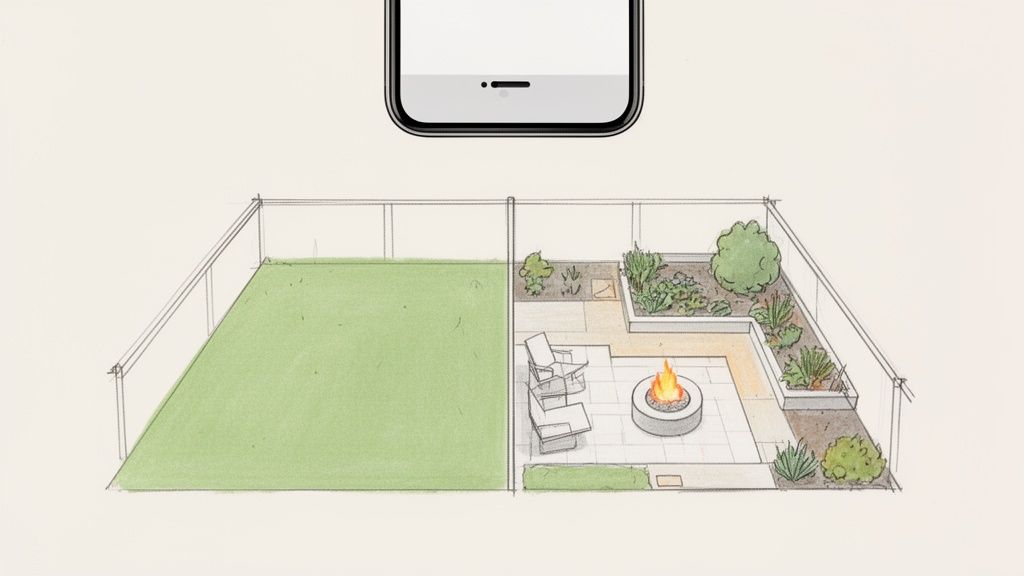
Not long ago, getting a new landscape design was a slow, expensive ordeal. It meant consultations, hand-drawn sketches, and a whole lot of squinting to imagine how those drawings would look in real life. The whole process was filled with uncertainty and long waits, always trying to translate a vague idea into a concrete vision.
Today, that entire drawn-out workflow has been shrunk down to an app on your phone. The starting point isn't some mood board filled with other people's yards; it's a powerful asset you already own: a photo of your own backyard or front yard. This is how you can apply AI landscape design to visualize your ideas directly onto your property.
Bridging Imagination and Reality
This "photo-first" method is a total game-changer. When you upload a picture of your space to an AI landscape design app like DreamzAR, you get to skip all the guesswork. The technology is smart enough to analyze your home's exterior, the existing layout, and unique features to generate designs that actually feel like they belong there. The core benefit is using AI to visualize your ideas on photos of your own yard, making the process personal and practical.
The real magic is simple: you see exactly how a new fire pit or perennial garden will look in the context of your home before you spend a dime or lift a shovel. It completely removes the risk of a design looking great on paper but feeling awkward in reality.
This move toward digital visualization is part of a huge trend. The global market for landscape and garden design software hit USD 5.26 billion in 2024, largely because homeowners want tools that save time and money. With more people living in cities, designing online is becoming the key to making the most out of every square foot of outdoor space.
The Power of AI-Driven Visualization
What makes this process so effective is how AI sees your yard. It doesn't just slap a generic patio image on top of your photo. Instead, it intelligently places features like pathways, pergolas, and planters with a realistic sense of scale and perspective. This is how you can apply AI landscape design to truly visualize ideas on photos of your own yard.
This hands you the creative controls to:
Explore Different Styles Instantly: Ever wonder what your yard would look like as a modern retreat? A lush English garden? A low-maintenance xeriscape? Now you can see it in seconds on a photo of your actual space.
Visualize Real Features: Curious if that corner is the right spot for a fire pit or a small water feature? You can generate dozens of variations to find the perfect one.
Move Beyond Vague Ideas: Go from "I think I want more flowers" to a concrete visual plan you can actually build from, no design skills required.
By starting with a photo of your actual yard, you're creating a direct line between what you can imagine and what you can achieve. These powerful AI tools give you the freedom to experiment without commitment, ensuring the final plan is something you'll absolutely love.
Getting Your Yard Ready for Its Digital Debut
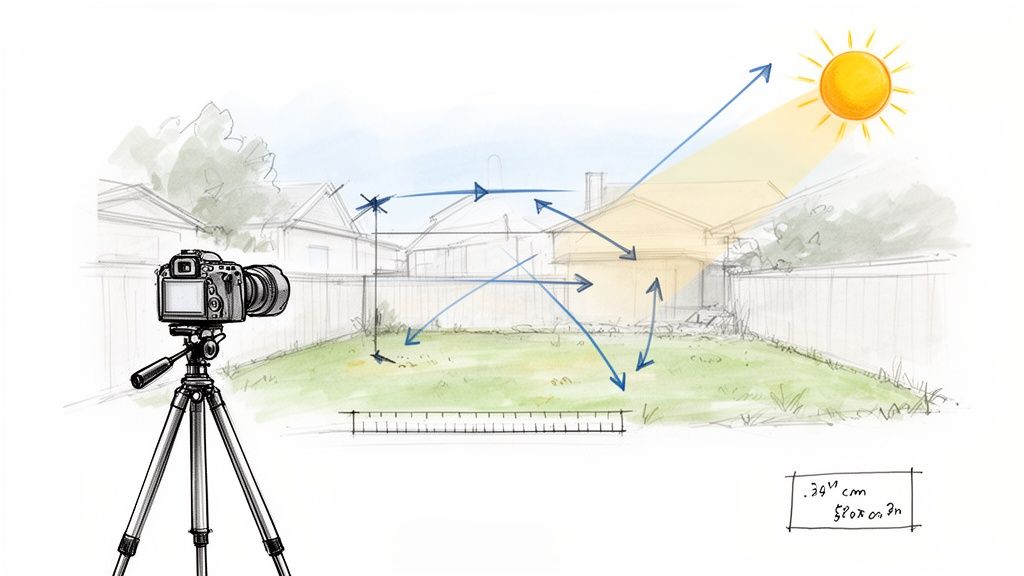
Before you can get to the exciting part—generating incredible AI designs—you need to give the technology a great starting point. The quality of your "before" photo is everything. By preparing properly, you can apply AI landscape design more effectively to visualize ideas on photos of your own yard. A little prep work here makes a massive difference in how accurate, beautiful, and believable the final designs will be.
Think of it this way: your photo is the canvas. A clean, well-lit canvas allows the AI to "see" your space clearly and work its magic. This isn't just about snapping a quick picture; it's about capturing your yard's potential. If you're looking to really level up, understanding a few essential lighting techniques for photography can make your results sing.
Your Pre-Design Checklist
Before you even launch an app, running through a quick checklist ensures you have all the information needed to create a design that's not just pretty, but practical. I've put together a simple table to guide you through gathering the essentials. This small bit of homework pays off big time.
Preparation Step | Why It Matters | Pro Tip |
|---|---|---|
Take a Great "Before" Photo | This is the foundation for the AI. A clear, well-lit image ensures the AI can accurately identify existing features and generate realistic new ones. | Shoot on an overcast day to avoid harsh shadows. Stand back as far as you can, maybe even from a second-story window, to capture the entire space. |
Note Sun & Shade Patterns | This is critical for plant selection. A gorgeous sun-loving garden will fail in a shady corner. | Spend a day observing your yard. Note which areas get morning sun, full afternoon sun, or are in shade most of the day. A simple sketch can work wonders. |
Get Rough Dimensions | Knowing the approximate size helps keep the AI-generated designs proportional and realistic. No need for a formal survey. | Pace it out or use a measuring tape for a quick length and width. This helps you visualize if that huge patio really fits. |
Define Your Goals | Are you creating a kid's play area, a quiet reading nook, or an entertainment hub? Your goal dictates the entire design direction. | Write down 1-3 primary functions for the space. For example: "A low-maintenance area for morning coffee and weekend BBQs." |
Identify "Keepers" | Note any existing trees, shrubs, or hardscaping you want to keep. The AI needs to know what to design around. | Mentally (or on a printout of your photo), circle the elements that are staying put. This focuses the redesign on the areas you actually want to change. |
This process might seem like overkill, but trust me, it’s the secret sauce. It’s how you guide the AI from generating generic ideas to creating a concept that feels like it was truly made for your home.
Capturing the Perfect Shot
The goal here is a clean, clear, and comprehensive view of your project area. A few simple tricks go a long way.
Tidy Up First. Get any temporary clutter out of the way—kids' toys, garden hoses, stray tools. You want the AI to focus on the permanent landscape, not the mess.
Lighting is Everything. The best time to shoot is during the "golden hours" (early morning or late afternoon) or on a slightly overcast day. This soft, even light avoids the harsh shadows and blown-out highlights that can confuse the software.
Get the Right Angle. Stand back to capture the whole scene. Make sure to include the side of your house, any existing fence lines, and major trees. A slightly elevated vantage point often works best.
When you feed the AI a high-quality photo, the virtual patios, plants, and pathways it generates look like they actually belong in your yard.
Adding the Human Element: Your Yard's Personality
A photo tells the AI what your yard looks like, but your notes tell it how it lives. This is where your real-world knowledge becomes invaluable for creating a design that will actually thrive.
Jotting down a few details before you upload your image helps you make smarter choices when you start playing with design options.
Your observations, combined with a great photo, act as a powerful creative brief for the AI. This is how you steer it toward a design that isn't just a pretty picture, but a practical, sustainable plan for your specific environment.
Once you have your photo and your notes, you're ready for the fun part. If you’re ready to jump in and see what's possible, you can get started right away with the DreamzAR app for iOS and watch your ideas come to life.
Bringing Your Dream Yard to Life With AI
Okay, you've got your photo ready to go. Now for the fun part—this is where your ideas, Pinterest boards, and daydreams start to look like a real, tangible plan. It's the moment you stop imagining and start seeing what’s actually possible for your yard.
Modern AI landscape design tools, like DreamzAR, have made this step incredibly simple. You kick things off by just uploading your photo into the app. That one action starts a pretty sophisticated process where the AI scans your image, figuring out what's what—the house, existing trees, the fence line, and the general layout of your yard. This is the first step to apply AI landscape design and visualize ideas on photos of your own yard.
From Photo Upload to Instant Inspiration
Once your photo is loaded, the exploration begins. Are you picturing the clean, sharp lines of a modern garden? Or maybe the lush, untamed vibe of an English cottage is more your speed. Instead of just guessing what that might look like, you can select these styles and watch the AI generate complete, cohesive designs in just a few seconds.
And this isn't just a simple filter or overlay. The AI is smart about it.
If you ask for a "modern" design, it might come back with sleek concrete pavers, striking ornamental grasses, and maybe a minimalist fire pit. Switch to a "tropical oasis" prompt, and you'll suddenly see vibrant foliage, a small water feature, and natural stone pathways woven into your space.
The speed at which you can generate dozens of unique concepts is a total game-changer.
Think about it: instead of waiting weeks to see a single draft from a traditional designer, you can flip through countless possibilities during a lunch break. This rapid-fire process helps you discover ideas you might never have considered on your own.
Visualizing with Augmented Reality
Seeing a static design on your photo is cool, but the real "wow" moment hits when you switch over to Augmented Reality (AR). This is a core feature in advanced apps and it’s what really separates modern yard design from everything that came before. With a single tap, you can switch to an AR preview that uses your phone's camera to overlay the new design right onto your real-world yard.
Suddenly, you can virtually "walk through" your new space. Stand at your back door and see exactly how that new stone path will draw your eye toward a new pergola. You can get a true sense of scale for a new patio or see if that beautiful tree you picked out would block too much afternoon sun. You can learn more about how DreamzAR's features bring these visualizations to life and make your project feel real before you ever break ground.
This technology is reshaping a massive industry. In 2024, the landscaping products market hit an incredible USD 88.60 billion, and it's projected to nearly double by 2034. A huge part of that growth comes from AI's ability to help homeowners visualize everything from pavers to pools. AI algorithms can now take a user's photo and a simple text prompt and deliver custom designs in seconds—a task that used to take professional designers weeks.
The AR preview closes that final gap between a flat, 2D image and a 3D, lived-in experience. It gives you an unmatched sense of space and scale, giving you the confidence to move forward with a design you absolutely know you’re going to love.
From AI Concept to Actionable Project Plan
After playing around with dozens of AI-generated concepts, you'll probably have a handful that really get you excited. This is the fun part, where you switch gears from creative explorer to project planner. The goal is to take that visual inspiration and sharpen it into a real, workable blueprint for your yard.
An AI design is an incredible starting point, but it's rarely the final word. The best online yard design tools let you get in there and tweak every last detail, making sure the final plan actually fits your real-world space, your personal tastes, and your budget. Visualizing your ideas on photos of your own yard is just the beginning; refinement is key.
Refining Your AI-Generated Design
Think of those initial AI concepts as a beautifully sketched outline. Now it's your turn to color them in. This is where you can swap out specific elements to better match your style and, just as importantly, your local environment.
Maybe you fell in love with a modern design's layout but would rather see natural flagstone instead of sleek concrete pavers. Good tools will let you make that change with a click, instantly showing you the difference. It's this refinement process that truly makes the design yours.
Some of the most common tweaks I see people make are:
Swapping Plants: This is a big one. You can replace AI-suggested shrubs with varieties you know will thrive in your specific climate zone or that tricky patch of shade in the corner of your yard.
Experimenting with Materials: Test out different hardscape options. See how the entire vibe changes when you switch from dark mulch to light river rock, or try out different paver styles for a patio.
Adjusting the Layout: Sometimes things are just a little off. You can easily nudge a pathway a few feet to the left, make a garden bed a bit bigger, or shrink a patio to better fit the scale of your space.
The whole flow is refreshingly simple: upload your photo, generate ideas, and preview them right in your space.
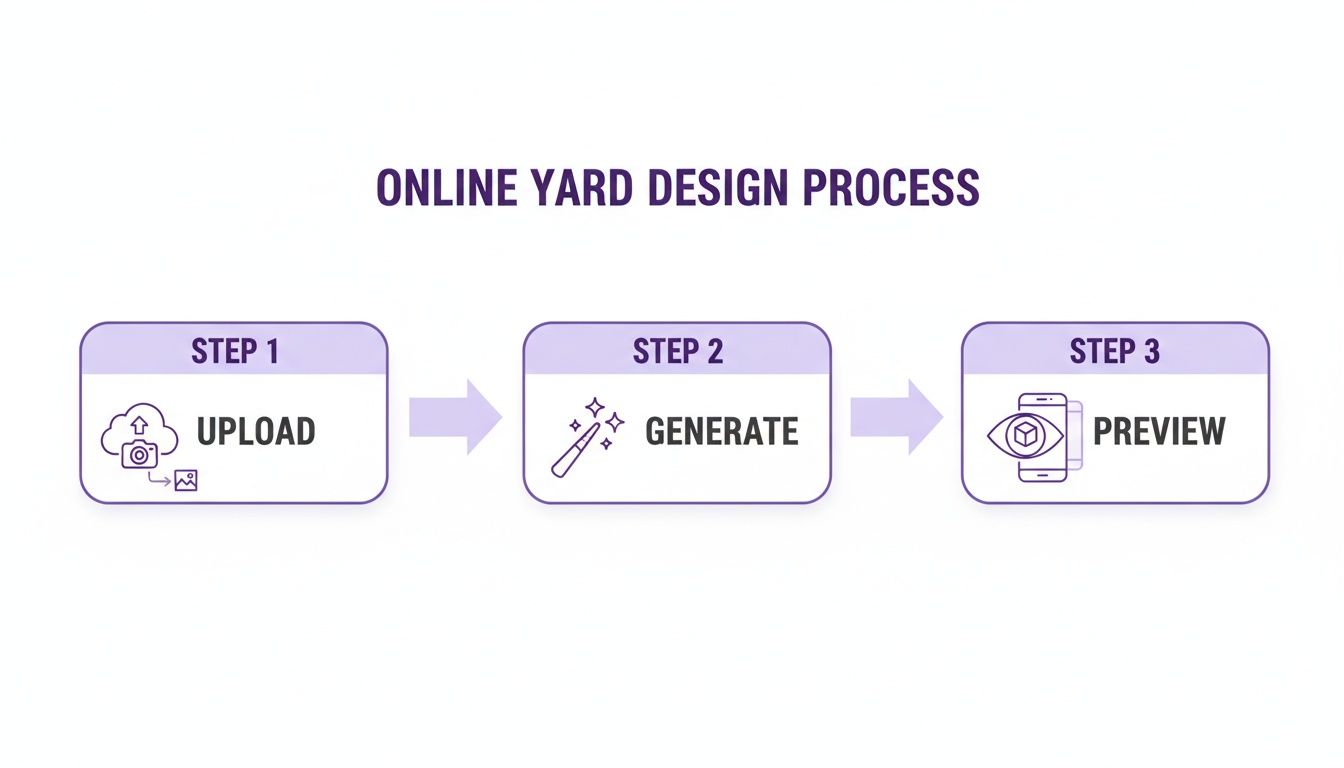
As you can see, it all starts with a simple photo of your yard. That photo becomes the canvas for the AI to work its magic, leading to an immersive preview that helps you lock in the final plan.
From Pixels to Price Tags
Let's be honest: a beautiful design doesn't mean much if you can't afford to build it. This is where the more advanced features in modern apps become so valuable. Many have built-in measurement and cost estimation tools that give you real-time financial feedback as you make changes.
Thinking of adding a 200-square-foot paver patio? The tool can instantly spit out a ballpark figure for materials and even labor. This completely changes how you design a yard online, turning what used to be creative guesswork into informed financial decisions. It’s all about understanding the cost of your dream features before you get too attached. For a deeper dive, you can use a dedicated landscaping cost estimator to really dial in your budget.
By tweaking materials and dimensions based on instant cost feedback, you can craft a stunning design that you can actually afford. This is the crucial step that bridges the gap between digital daydreaming and getting a shovel in the ground.
Once you’ve finalized your design—with the right plants, materials, and layout—you’re ready for the final step. Save your finished plan, which should include all the measurements and visual renders. Now you have a comprehensive blueprint you can share with your family for one last look, or send directly to a professional contractor to get a real quote and kick off the project.
Tips for Nailing a Realistic and Beautiful Design
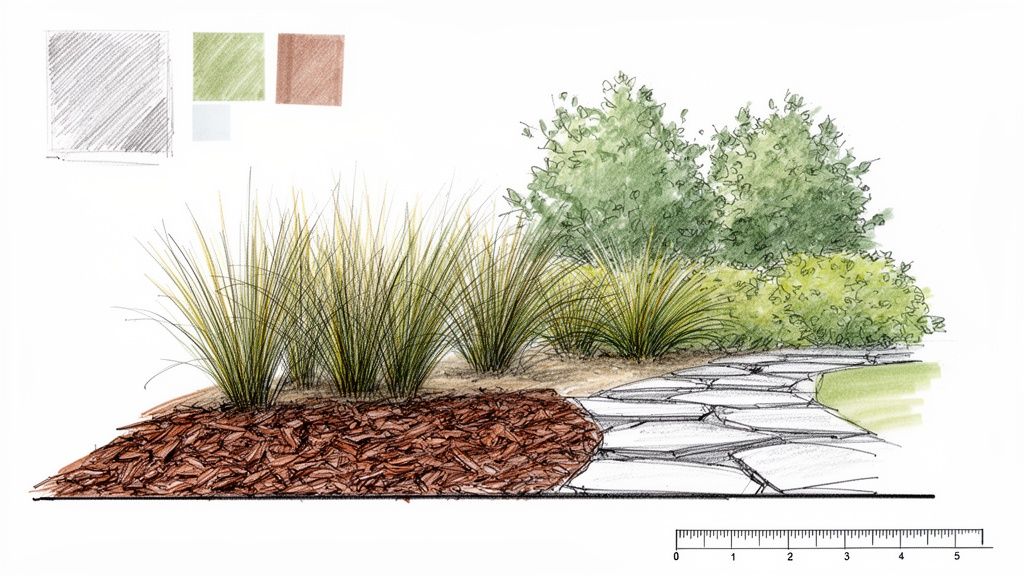
AI is brilliant at generating some stunning concepts, no doubt. But a few insider tips can elevate your designs from just "good" to truly breathtaking. The goal isn’t just a pretty picture; it’s a realistic, achievable vision that will actually thrive in your yard. This is where your human touch, combined with the AI's processing power, creates something really special.
First things first: always use a photo of your own yard as the foundation. This one simple step grounds every generated idea in reality, matching the scale of your home and the existing context of your property. Visualizing ideas directly on a picture of your space is the secret to creating a design that feels natural and intentional from the get-go. This is the most practical way to apply AI landscape design.
Layer Textures and Colors for Depth
A truly professional-looking design has layers. AI can get you started, but it's up to you to refine the results by thinking like a designer. Don't just settle for grass and a few shrubs. Experiment with different materials to create that crucial visual interest.
Try mixing and matching these combinations:
Stone and Mulch: Use river rock or gravel to create clean, crisp lines around garden beds filled with dark mulch.
Varied Foliage: Mix plants with different leaf shapes and colors. Think about pairing broad, dark green hostas with fine, silvery ornamental grasses for a beautiful contrast.
Hardscape Harmony: When you’re dreaming up your perfect outdoor space, don't forget how much impact a well-chosen hardscape element can have. Exploring different wooden fence gate designs, for example, can add both beauty and function.
These subtle additions make your online yard design feel richer and far more dynamic. You're creating a scene with depth, just like you would in real life.
Guide the AI with Smarter Prompts
You can absolutely steer the AI toward more practical and personalized results by getting specific with your keywords. Instead of a generic prompt like "backyard garden," try getting more descriptive. This helps the AI understand your unique needs and, importantly, your environmental constraints.
The more specific your input, the more tailored the output. Using detailed prompts is like giving the AI a clear creative brief, ensuring the designs are not only beautiful but also sustainable for your location.
Use targeted keywords in your prompts, such as:
This simple trick saves you a ton of time on edits and produces concepts that are much closer to a workable final plan right out of the gate.
The market for these design tools is growing incredibly fast. By 2026, AI is expected to supercharge the way we design a yard online, with apps becoming the go-to tool for homeowners. In fact, data already shows that 55% of homeowners now use apps for initial ideas before calling in the pros, which can slice project costs by 20-25% through better planning.
Common Questions About Designing Your Yard Online
Jumping into the world of AI landscape design definitely brings up a few questions. It’s a completely new way to tackle an age-old project, so it’s only natural to wonder about the process, what you’ll get out of it, and whether it’s the right move for your yard.
Let's clear up some of the most common things homeowners ask when they first decide to design a yard online.
A big one I hear all the time is, "Do I need any design experience?" The answer is a hard no. Modern AI landscape design apps were built from the ground up for regular homeowners, not professional landscape architects. The whole experience is meant to be intuitive. You snap a photo, pick a style you like, and the AI does the heavy lifting, creating professional-looking concepts for you to play with. This is the easiest way to visualize your ideas on photos of your own yard.
How Realistic Are the Designs?
This is a totally fair question, and honestly, the results are surprisingly good. The technology has come a long way. Because the AI uses your actual photo as the canvas, it automatically understands the scale and context of your home, your fence lines, and any trees you want to keep. This is key to making sure the generated designs look like they actually belong in your space.
The real game-changer is seeing ideas come to life right on a picture of your own yard. Instead of just pasting things on top, the AI intelligently places new features like patios, plants, and pathways with the correct perspective. Some tools even have Augmented Reality (AR) previews. This lets you look through your phone’s camera and see the new design overlaid on your real-time view, giving you a genuine feel for how it will look and feel when it's done.
From Budgets to Challenging Spaces
Of course, a pretty picture is one thing, but what about the practical side of things? Homeowners often wonder about the real-world planning.
Can I get cost estimates? Yes, a lot of the more advanced apps now include cost estimation tools. As you add a paver patio or swap out the grass for new turf, the app can calculate a ballpark figure for materials and labor, which is incredibly helpful for keeping your budget in check from day one.
What if my yard is small or oddly shaped? This is where AI tools really shine. They're fantastic at finding creative solutions for tricky spots. You can ask the AI for "small backyard ideas" or "sloped yard landscaping" and get inspiration you might never have thought of, like clever space-saving layouts or terraced gardens.
For more specific questions, most apps have a pretty thorough FAQ section on their website. You can learn more by exploring our detailed frequently asked questions page for extra insights.
Ready to stop imagining and start visualizing? With DreamzAR AI Landscape Design, your dream yard is just a photo away. Generate unlimited, professional designs tailored to your actual home in seconds. Download DreamzAR FREE on the App Store today!