App for Landscape Design: Transform Your Yard with an app for landscape design
It's a feeling every homeowner knows: you're staring at your yard, scrolling through beautiful photos on Pinterest, but you just can't picture how those ideas would look in your space. This is where a modern app for landscape design completely changes the game. It lets you test-drive a full-blown redesign using nothing more than a photo of your own yard.
Turn Your Yard from an Idea into a Reality
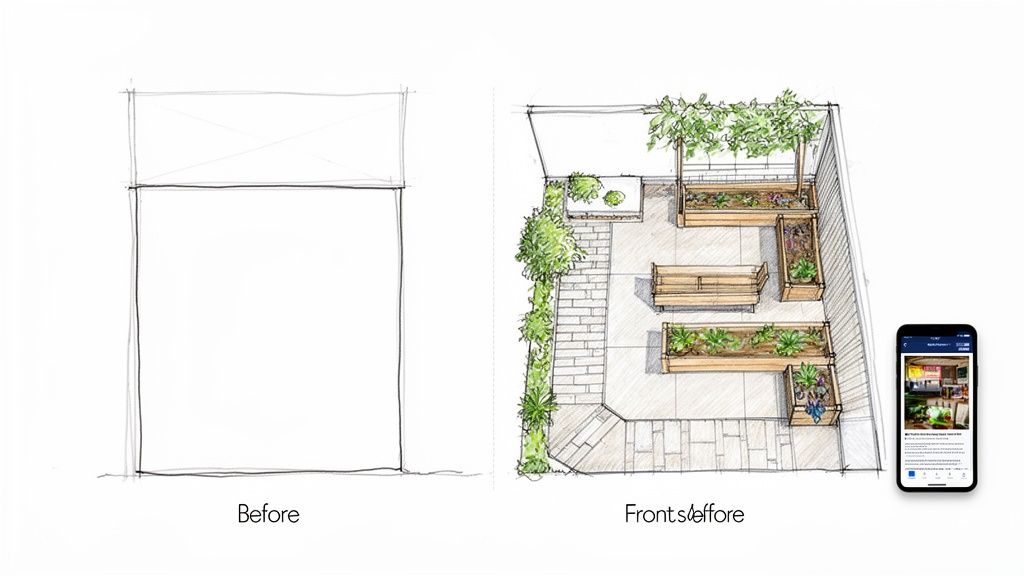
The biggest hurdle for any landscaping project is bridging the "imagination gap"—that frustrating space between a cool idea and how it actually fits in your yard. Hiring a designer can get expensive fast, and sketching by hand? Well, that rarely captures a realistic vision. This is exactly the problem that today's technology is built to solve.
You can finally forget all the guesswork and high costs. New tools, powered by artificial intelligence, let you become your own designer. The process is surprisingly simple but incredibly powerful. You just snap a photo of your front or backyard, upload it, and use AI Landscape Design to visualize stunning, professional-quality redesigns laid out right over your own property.
See Your Own Yard Transformed
The real magic here is the personalization. Instead of spitting out generic templates, the AI uses your specific yard as its canvas. You apply AI Landscape Design by uploading a photo of your space, and the technology looks at everything already there—your porch, the fence line, even the existing bushes—to create designs that feel like they truly belong.
This technology closes the gap between abstract inspiration and a tangible plan. You’re not just looking at a pretty picture; you’re seeing your home with a beautiful new landscape, which gives you the confidence to make decisions before a single shovel hits the dirt.
By using AI Landscape Design with photos of your yard, you can explore wildly different styles with zero risk. Ever wonder what a minimalist rock garden would look like out front? Or maybe a lush, English cottage-style garden in the back? You can generate and compare multiple options in just a few minutes. This instant visual feedback helps you:
Boost Curb Appeal: See exactly how different plant combinations and new pathways could transform your home's exterior, all based on a current photo.
Create a Backyard Oasis: Visualize adding features you've always wanted, like a cozy fire pit, a new patio for entertaining, or vibrant flower beds, right in your own backyard.
Save Time and Money: Avoid expensive mistakes by seeing a realistic preview before you commit to buying plants or hiring help.
This guide will walk you through how tools like the DreamzAR AI Landscape Design app put the power back in your hands, helping you save money and finally bring that dream landscape to life—all starting with a single picture.
How AI Landscape Design Works with Your Photos
So, what actually happens when you upload a photo of your yard into a modern app for landscape design? It’s not as complex as it sounds. Think of it less like using complicated software and more like handing that picture to a team of landscape architects who can brainstorm ideas at lightning speed.
This whole process is designed to take the mystery out of landscape design, turning what feels like a complex art form into something anyone can get their hands on.
The magic starts with a sophisticated AI that dives deep into your photo. This isn't just slapping a filter on your picture; the technology is smart enough to analyze every little detail of your actual yard. It spots the permanent stuff—your house, the patio, existing fences, and walkways—to get a solid understanding of your yard's basic layout.
From there, the AI becomes your creative partner. You apply AI Landscape Design by letting it treat your yard as a digital canvas and start intelligently layering new elements right over your existing photo. It knows that a design for a small, shady city backyard needs a totally different touch than a sprawling, sun-drenched front lawn out in the suburbs.
From Blank Canvas to Beautiful Concepts
This is where things get really interesting. Because the app understands your space from your own photo, it doesn't just randomly plop down plants. Instead, it suggests entire design concepts that actually work with your home's style and the unique vibe of your property.
In just a few moments, you could see your yard completely transformed with ideas like:
A sleek, modern rock garden filled with drought-tolerant succulents.
A classic English cottage garden with lush, overflowing flower beds.
A cozy backyard oasis, complete with a new paver patio and a fire pit for entertaining.
Being able to see these professional-level designs laid out on your own property is a total game-changer. It’s no wonder the demand for these tools is exploding. The landscape design software market, valued at USD 10.51 billion, is expected to hit USD 26.78 billion by 2031, growing at a whopping 12.4% each year. This boom is all thanks to homeowners who are excited to use an app for landscape design to get instant, pro-level results. You can read the full research on Verified Market Research to see what's driving this trend.
What once took expensive consultations and confusing blueprints can now happen in minutes, right on your phone. The AI handles the heavy lifting, generating personalized, beautiful, and practical designs that you can tweak and explore without needing any experience at all.
This shift puts the creative power right in your hands. Ever wonder what a Japanese-inspired garden might look like? Or maybe you want to compare different paver styles for a new walkway? An app takes away all the guesswork and risk, letting you explore countless possibilities before you spend a dime. You can see the huge range of these possibilities by learning more about the features in an advanced AI design app. It’s basically the ultimate creative sandbox for your home's exterior.
Choosing the Right App for Your Landscape Project
Jumping into the world of landscape design apps can feel a bit like wading into a jungle. There are dozens of options, and they all claim they can bring your dream yard to life. So, how do you pick the right one?
The secret is to ignore the flashy marketing and focus on what actually works for your project. The biggest difference you'll find is between the old-school 2D planners and the newer, AI-powered tools.
Think of it this way: a basic app is like drawing on a napkin. You can drag and drop generic tree icons onto a grid, but it doesn't really capture the slope of your lawn or the morning sun on your patio. This often leads to designs that look nice on a screen but just don't fit when you try to make them real.
The modern tools, though, start with what you already have. You apply AI Landscape Design by using a photo of your actual yard as the canvas, making sure every single idea is grounded in reality from the get-go.
The Power of Visualizing with Your Own Yard
Honestly, the most important feature an app for landscape design can offer is the ability to work its magic directly on a picture of your own space. This isn't just a cool trick; it completely changes the game by taking almost all the guesswork out of planning.
When you apply AI Landscape Design to a photo of your yard, it analyzes everything—your home's style, the plants you already have, the layout. It then creates designs that look like they truly belong there.
This flowchart breaks down just how simple the process is. You give it a photo, the AI does its thing, and you get back a handful of professional-looking concepts.
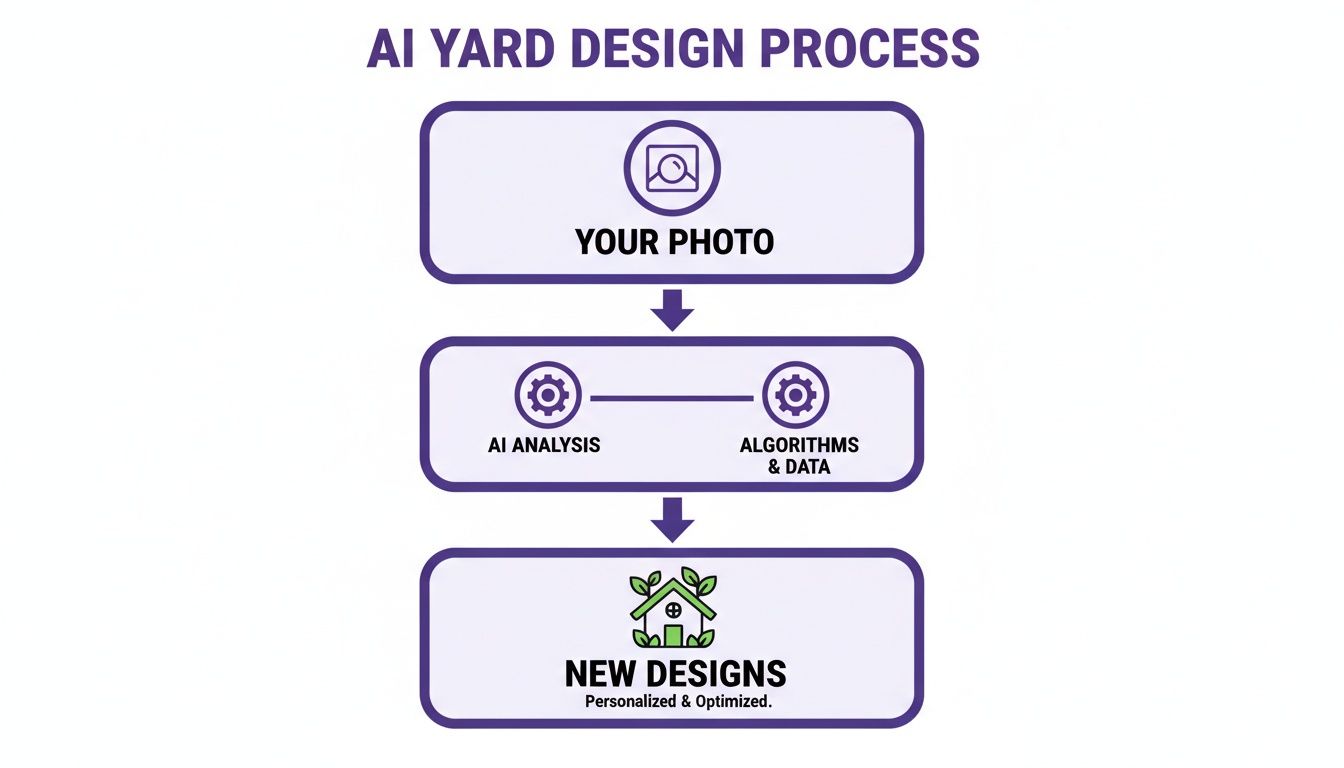
It’s a straightforward path from your quick snapshot to a finished, inspiring design.
Key Features That Actually Matter
When you're comparing one app for landscape design to another, a few features deliver way more value than the rest. Focusing on these will save you from headaches and help you get a much better result.
Realistic AI Design Generation: The quality of the AI's ideas is everything. You want an app that produces high-resolution designs based on your photo that look like a professional put them together, not something that looks like a cheap photo filter. That realism is what gives you the confidence to move forward.
Augmented Reality (AR) Previews: A 2D photo is one thing, but walking around your new design in 3D is a total game-changer. AR lets you use your phone to "place" a virtual tree or patio right in your yard. You can walk around it, check the scale, and see how it looks from your kitchen window.
Huge Plant and Materials Library: You need options. A deep library with thousands of real plants, pavers, and other materials is a must. It means you can find things that are actually available at your local nursery and suited for your climate zone, making the leap from screen to reality feel effortless.
The real goal is to find a tool that bridges the gap between your imagination and reality. A good AR preview can instantly show you if that new maple tree will throw too much shade on your patio at 3 PM, helping you sidestep a costly mistake before you even dig a hole.
Picking the right tool from the start changes everything. To see exactly how these features make a difference, check out this in-depth app feature comparison. It really lays out the critical differences between the basic planners and the more powerful AI solutions.
Visualize Your Ideas in the Real World with AI and AR
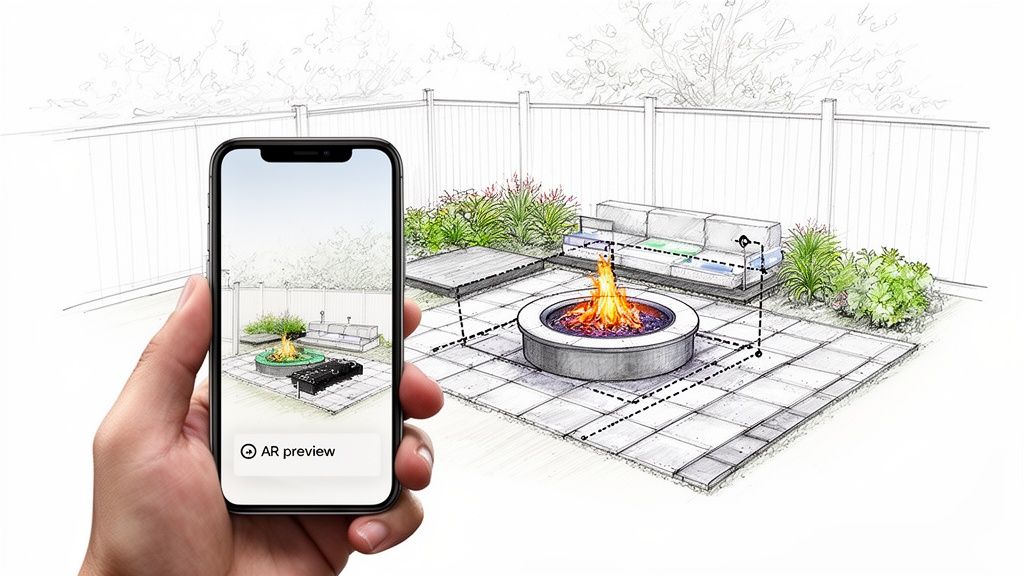
This is where all the concepts really click into place. The true magic of an app for landscape design is seeing abstract ideas become something you can practically walk through in your own yard. It’s all about taking a simple photo of your space and using it as a canvas to solve real-world landscaping puzzles.
Think about that tricky spot you’ve been ignoring—maybe a small, sloped front yard that's a pain to mow and doesn't do much for your curb appeal. Instead of just guessing what might work, you can apply AI Landscape Design by snapping a photo of that exact area. The AI then gets to work, whipping up ideas perfectly suited for that slope, like a tiered rock garden with hardy native plants or a series of low retaining walls spilling over with colorful flowers.
Bringing Your Vision to Life with AI
The process couldn't be more direct. Your photo provides the real-world context, and the AI supplies the creative spark. You’re not just scrolling through generic Pinterest boards; you’re seeing a tangible solution tailored to your unique yard. This whole approach is changing how we tackle outdoor projects, making professional-level design accessible to everyone.
And people are loving it. The global market for these tools has swelled to USD 5.2615 billion as homeowners everywhere look for ways to create their own personal outdoor retreats. This demand is strongest in the residential sector, with Europe leading the charge, holding over 30% of the market share, and the Asia Pacific region close behind with 23%.
See It Before You Build It with Augmented Reality
Once AI Landscape Design generates a design from your photo that gets you excited, the next step is even better. Using Augmented Reality (AR), you can pull that 2D design right off the screen and into the 3D world. This isn’t just some flat preview; it’s an immersive walkthrough that helps you understand the true scale, placement, and feel of the design in a way a picture never could.
Let's say you’ve been dreaming of a cozy fire pit area for your backyard. An app for landscape design lets you map it all out before you spend a dime.
Test Paver Styles: Use your phone’s camera to "lay down" different paver patterns on your grass. See how a rustic cobblestone looks compared to a clean, modern slate right there in your actual yard.
Arrange Seating: Virtually drop in chairs, benches, or an outdoor sofa. You can literally walk around the digital furniture to check the flow and make sure there’s plenty of room to move.
Visualize Surrounding Plants: Add virtual shrubs, ornamental grasses, or potted flowers around the fire pit to see how they soften the hardscape and pull the whole look together.
This technology completely removes the guesswork from your decisions. You can see exactly how that new fire pit will look from your kitchen window or whether the patio is big enough for your grill—all before you commit any time or money.
These real-world examples show how you can go from a simple "what if?" to a confident, actionable plan. It’s all about unlocking the potential hidden in your own backyard, giving you the tools to see it, tweak it, and finally, build it.
If you want to start exploring these features for yourself, check out the DreamzAR iOS app, which brings these powerful AI and AR tools straight to your phone.
From Digital Design to Your Finished Landscape
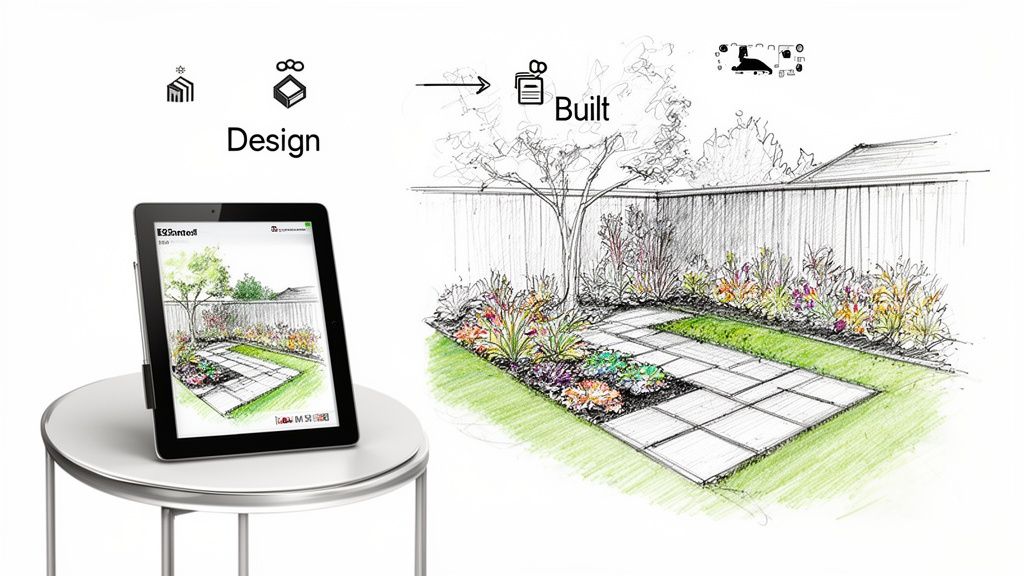
The leap from a yard that feels a bit bland to a space you absolutely love doesn't have to be a huge, complicated ordeal. Think of an app for landscape design as your personal creative partner, making the whole process feel less like a chore and more like a fun, hands-on project.
What’s really exciting is the power of AI Landscape Design. It lets you see incredible transformations just by using a simple photo of your own yard. This isn't about guesswork anymore; it’s about seeing the true potential of your home, right on your screen. That dream yard you've been picturing is closer than you think, and it all starts with a single snapshot.
The biggest hurdle for most homeowners is simply picturing the final result. Modern apps completely tear down that wall, giving you the confidence to bring those digital ideas to life right outside your door.
Once you’ve settled on a design you love, the app’s job isn’t over. The next logical step is figuring out how to make it happen. You'll need the right tools for the job, which might mean looking into landscaping equipment hire for the bigger tasks.
And what about the budget? A good app will often connect you with tools like a landscaping cost estimator to help you plan your spending. From that first spark of an idea to the final execution, these tools are there to guide you.
Ready to see for yourself? Downloading an app like DreamzAR lets you start playing with ideas instantly. You don't need any special skills—just your yard and a little imagination.
Frequently Asked Questions About Landscape Design Apps
Jumping into any new home improvement tech can bring up a few questions. When it comes to using an app for landscape design, most homeowners are curious about what they can really expect. Let's dig into some of the most common questions with real, practical answers.
Can I Really Get a Professional Design from One Photo?
Yes, you absolutely can, and it’s pretty amazing to see in action. The secret is how AI Landscape Design technology analyzes your specific space. When you upload a photo, the app isn’t just looking at a flat picture. It’s smart enough to identify the important stuff: your house's facade, existing sidewalks, fences, and grassy areas.
This analysis basically creates a custom digital canvas of your actual property. From there, the app generates designs that are tailor-made for your layout. This ensures the ideas are not just pretty, but genuinely practical for your yard—no generic, cookie-cutter templates here. It’s how you can visualize professional-grade concepts using nothing more than a photo from your phone.
How Accurate Is the Augmented Reality Preview?
The Augmented Reality (AR) previews are surprisingly accurate and, honestly, a total game-changer for visualizing your project. This feature uses your phone’s camera to place virtual objects into your real-world view, all in true-to-scale dimensions.
Think of it as a digital measuring tape and a design tool rolled into one. When you drop a virtual tree, patio set, or fire pit into your yard, the app scales it correctly in relation to your house and everything else around it. This means you can physically walk around the new elements, see how they fit the space, and spot potential problems—like a new pergola blocking your kitchen window—with a high degree of confidence before a single shovel hits the dirt.
The whole point of the AR feature is to kill the guesswork. By seeing a full-scale digital model in your actual space, you can make solid decisions on placement, size, and style.
Do I Need Technical Skills to Use These Apps?
Not at all. A modern app for landscape design like DreamzAR is built from the ground up to be intuitive for everyone, no matter your tech-savviness. If you can use a social media or online shopping app, you’ve already got all the skills you need.
The whole process is designed to be simple: snap a photo, tap a button to get ideas, and swipe through the results. The goal is to make landscape design something anyone can do, tearing down the technical walls that once made it an "experts-only" kind of thing. For a deeper dive into how specific features work, you can always explore our complete landscape design app FAQ page.
Ready to stop guessing and start seeing what’s possible? With DreamzAR AI Landscape Design, your dream yard is just one photo away. See stunning, personalized designs for your own home in seconds.